Monitor Tool
Monitor Tool
1. Prometheus Integration
1.1 Prometheus Metric Mapping
The following table illustrates the mapping of IoTDB metrics to the Prometheus-compatible format. For a given metric with Metric Name = name and tags K1=V1, ..., Kn=Vn, the mapping follows this pattern, where value represents the actual measurement.
| Metric Type | Mapping |
|---|---|
| Counter | name_total{cluster="clusterName", nodeType="nodeType", nodeId="nodeId", k1="V1", ..., Kn="Vn"} value |
| AutoGauge, Gauge | name{cluster="clusterName", nodeType="nodeType", nodeId="nodeId", k1="V1", ..., Kn="Vn"} value |
| Histogram | name_max{cluster="clusterName", nodeType="nodeType", nodeId="nodeId", k1="V1", ..., Kn="Vn"} value name_sum{cluster="clusterName", nodeType="nodeType", nodeId="nodeId", k1="V1", ..., Kn="Vn"} value name_count{cluster="clusterName", nodeType="nodeType", nodeId="nodeId", k1="V1", ..., Kn="Vn"} value name{cluster="clusterName", nodeType="nodeType", nodeId="nodeId", k1="V1", ..., Kn="Vn", quantile="0.5"} value name{cluster="clusterName", nodeType="nodeType", nodeId="nodeId", k1="V1", ..., Kn="Vn", quantile="0.99"} value |
| Rate | name_total{cluster="clusterName", nodeType="nodeType", nodeId="nodeId", k1="V1", ..., Kn="Vn"} value name_total{cluster="clusterName", nodeType="nodeType", nodeId="nodeId", k1="V1", ..., Kn="Vn", rate="m1"} value name_total{cluster="clusterName", nodeType="nodeType", nodeId="nodeId", k1="V1", ..., Kn="Vn", rate="m5"} value name_total{cluster="clusterName", nodeType="nodeType", nodeId="nodeId", k1="V1", ..., Kn="Vn", rate="m15"} value name_total{cluster="clusterName", nodeType="nodeType", nodeId="nodeId", k1="V1", ..., Kn="Vn", rate="mean"} value |
| Timer | name_seconds_max{cluster="clusterName", nodeType="nodeType", nodeId="nodeId", k1="V1", ..., Kn="Vn"} value name_seconds_sum{cluster="clusterName", nodeType="nodeType", nodeId="nodeId", k1="V1", ..., Kn="Vn"} value name_seconds_count{cluster="clusterName", nodeType="nodeType", nodeId="nodeId", k1="V1", ..., Kn="Vn"} value name_seconds{cluster="clusterName", nodeType="nodeType", nodeId="nodeId", k1="V1", ..., Kn="Vn", quantile="0.5"} value name_seconds{cluster="clusterName", nodeType="nodeType", nodeId="nodeId", k1="V1", ..., Kn="Vn", quantile="0.99"} value |
1.2 Configuration File
To enable Prometheus metric collection in IoTDB, modify the configuration file as follows:
- Taking DataNode as an example, modify the iotdb-system.properties configuration file as follows:
dn_metric_reporter_list=PROMETHEUS
dn_metric_level=CORE
dn_metric_prometheus_reporter_port=9091- Start IoTDB DataNodes
- Use a web browser or
curlto accesshttp://server_ip:9091/metricsto retrieve metric data, such as:
...
# HELP file_count
# TYPE file_count gauge
file_count{name="wal",} 0.0
file_count{name="unseq",} 0.0
file_count{name="seq",} 2.0
...
Starting with V2.0.12.1, the metrics endpoint supports access over IPv6. Use brackets to distinguish the address from the port in an IPv6 metrics URL. Replace the placeholder below with the actual reachable IPv6 address:
curl 'http://[IPV6_ADDRESS]:9091/metrics'1.3 Prometheus + Grafana Integration
IoTDB exposes monitoring data in the standard Prometheus-compatible format. Prometheus collects and stores these metrics, while Grafana is used for visualization.
Integration Workflow
The following picture describes the relationships among IoTDB, Prometheus and Grafana:
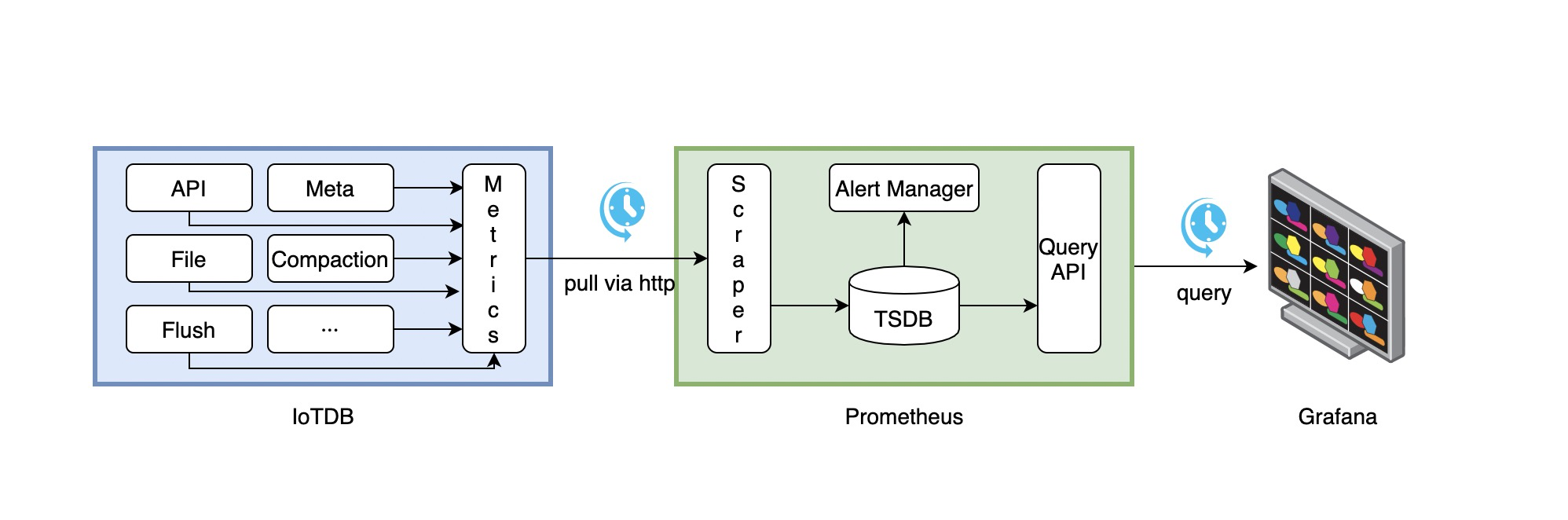
Iotdb-Prometheus-Grafana Workflow
- IoTDB continuously collects monitoring metrics.
- Prometheus collects metrics from IoTDB at a configurable interval.
- Prometheus stores the collected metrics in its internal time-series database (TSDB).
- Grafana queries Prometheus at a configurable interval and visualizes the metrics.
Prometheus Configuration Example
To configure Prometheus to collect IoTDB metrics, modify the prometheus.yml file as follows:
job_name: pull-metrics
honor_labels: true
honor_timestamps: true
scrape_interval: 15s
scrape_timeout: 10s
metrics_path: /metrics
scheme: http
follow_redirects: true
static_configs:
  - targets:
      - localhost:9091
      - '[IPV6_ADDRESS]:9091'
For more details, refer to:
- Prometheus Documentation:
- Grafana Documentation:
Prometheus targets include both an IPv6 address and a port and must use [ipv6]:port. Even if the service listens on ::, use an actual routable IPv6 address for the target, never [::]:9091.
2. TimechoDB Dashboard
We introduce the TimechoDB Dashboard, designed for unified centralized operations and management, which enables monitoring multiple clusters through a single panel.
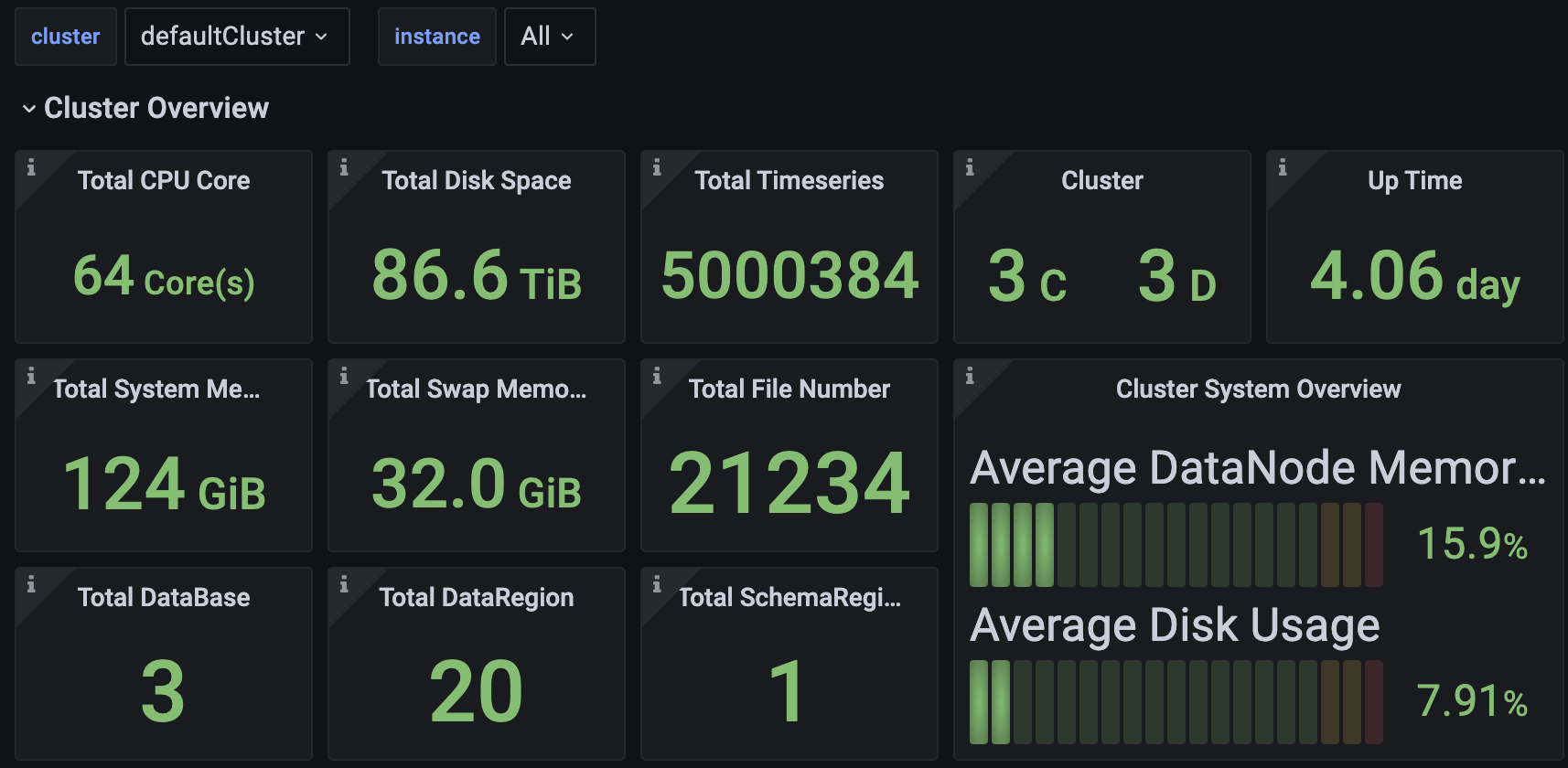
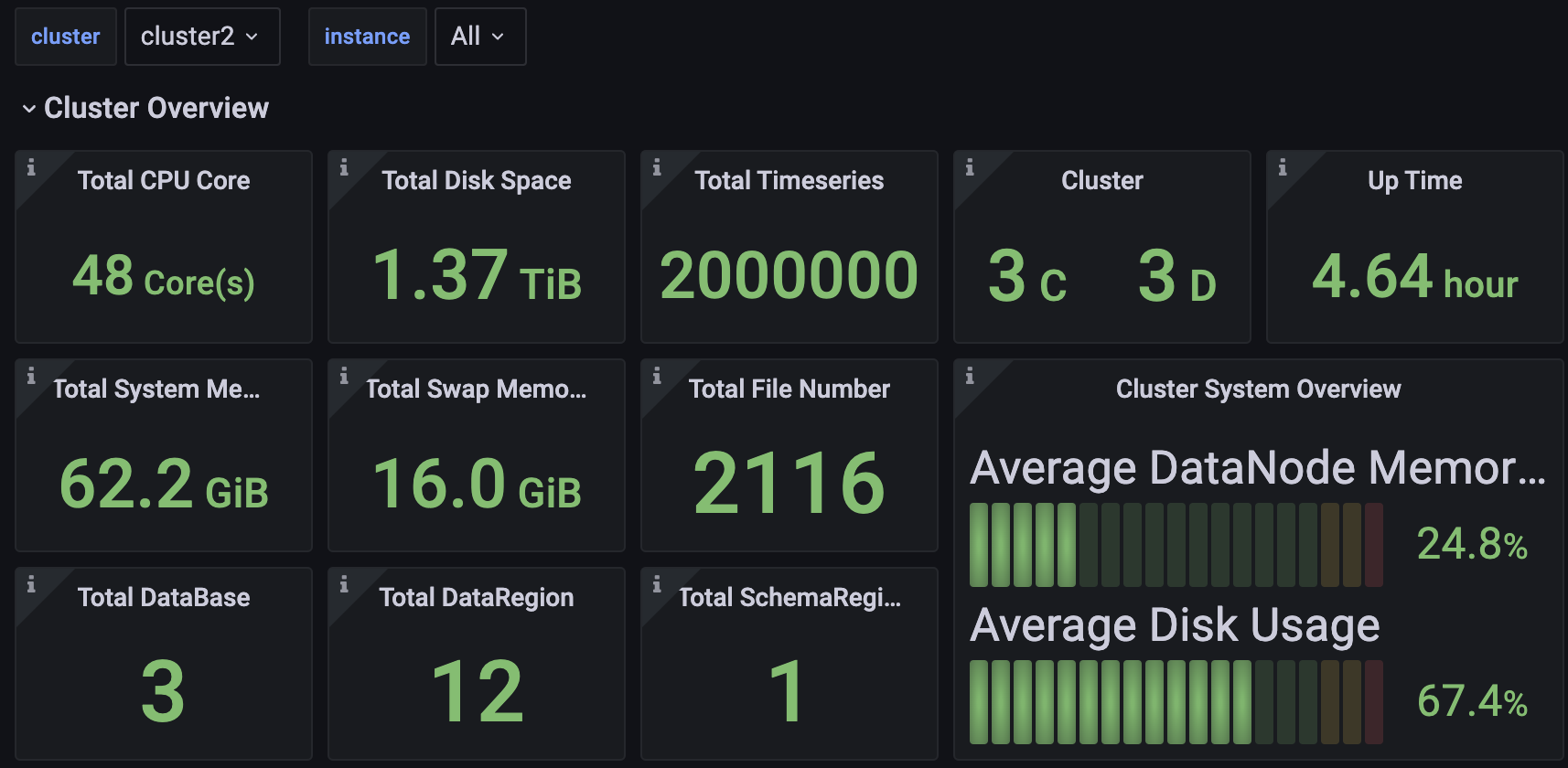
You can access the Dashboard's Json file in TimechoDB.
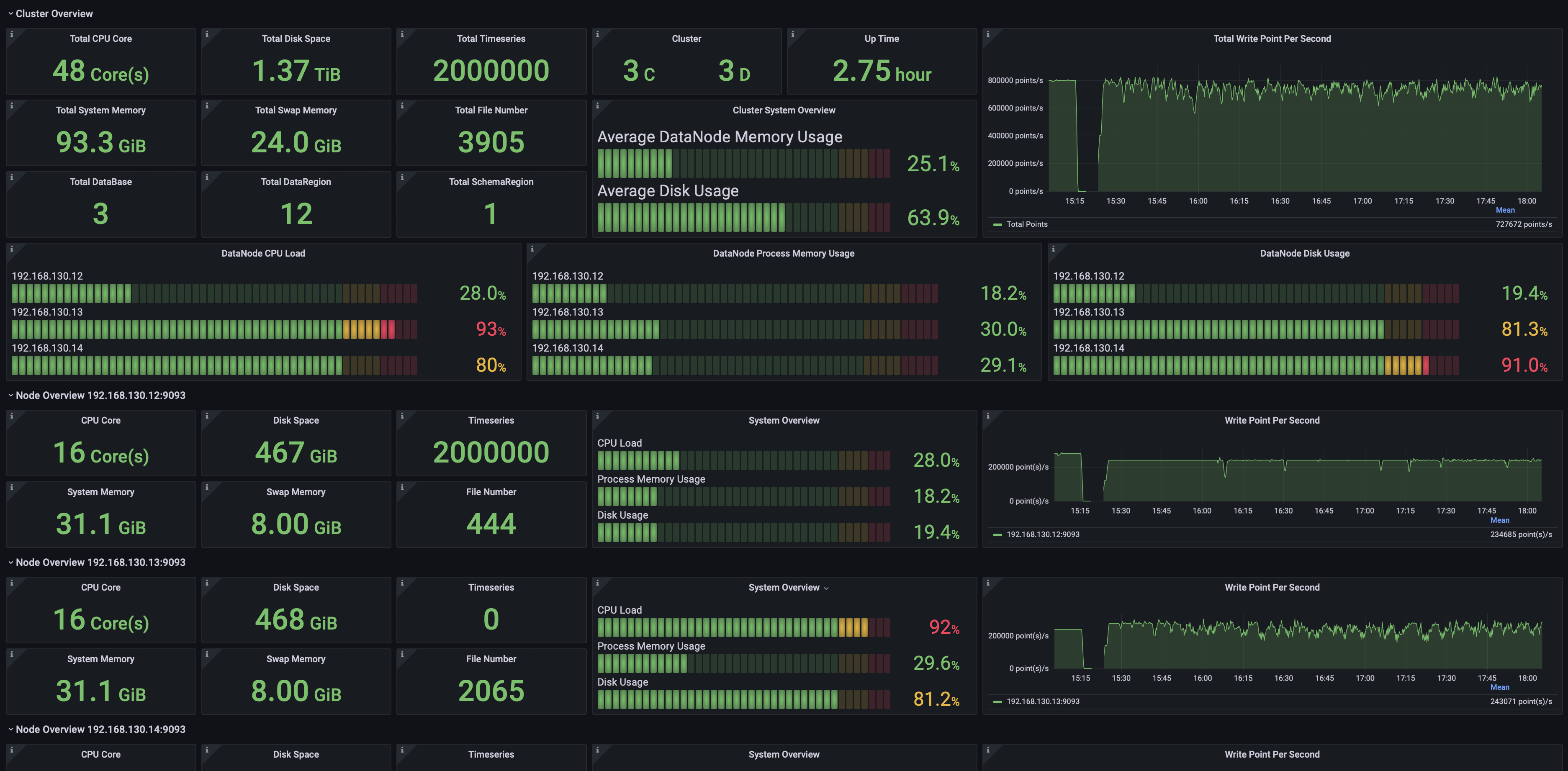
2.1 Cluster Overview
Including but not limited to:
- Total number of CPU cores, memory capacity, and disk space in the cluster.
- Number of ConfigNodes and DataNodes in the cluster.
- Cluster uptime.
- Cluster write throughput.
- Current CPU, memory, and disk utilization across all nodes.
- Detailed information for individual nodes.
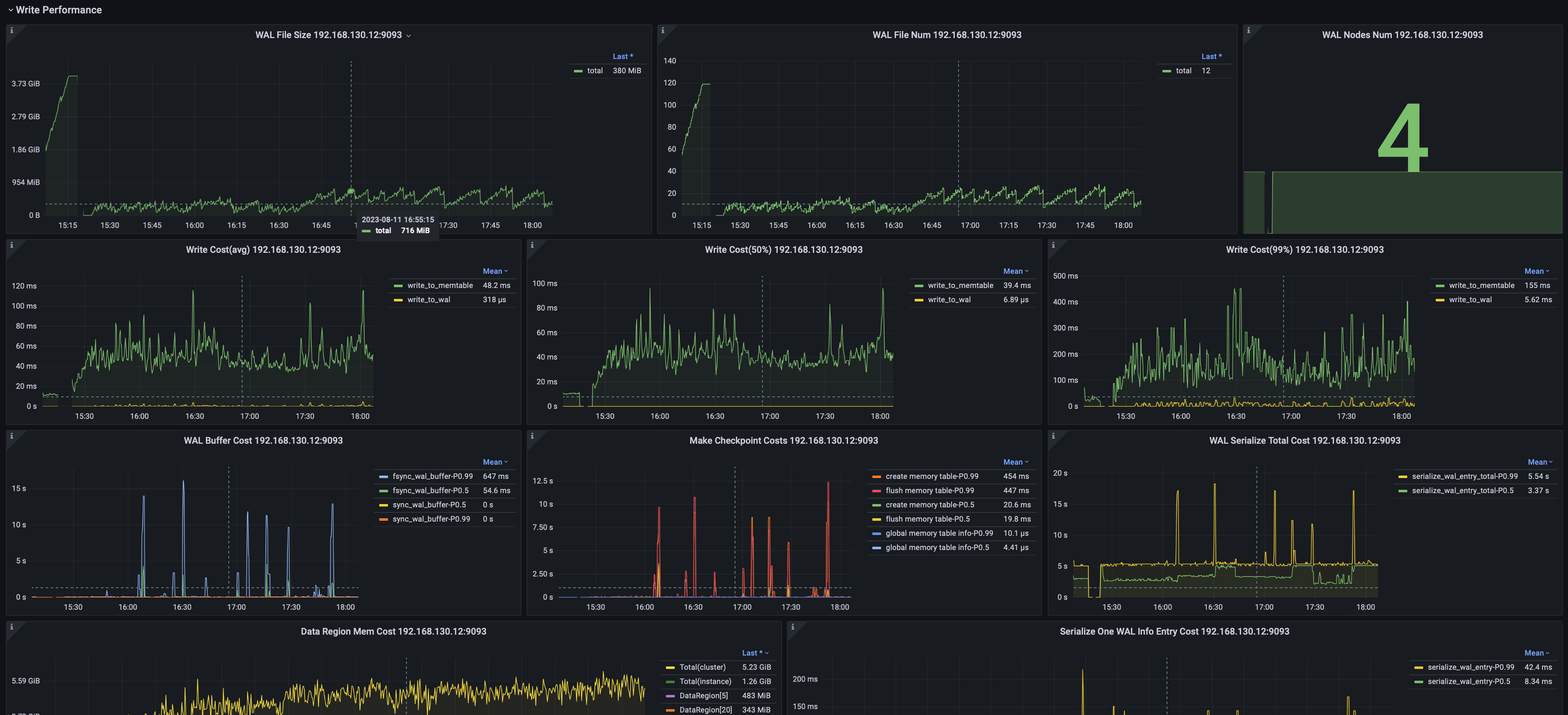
2.2 Data Writing
Including but not limited to:
- Average write latency, median latency, and the 99% percentile latency.
- Number and size of WAL files.
- WAL flush SyncBuffer latency per node.
2.3 Data Querying
Including but not limited to:
- Time series metadata query load time per node.
- Time series data read duration per node.
- Time series metadata modification duration per node.
- Chunk metadata list loading time per node.
- Chunk metadata modification duration per node.
- Chunk metadata-based filtering duration per node.
- Average time required to construct a Chunk Reader.

2.4 Storage Engine
Including but not limited to:
- File count and size by type.
- Number and size of TsFiles at different processing stages.
- Task count and execution duration for various operations.

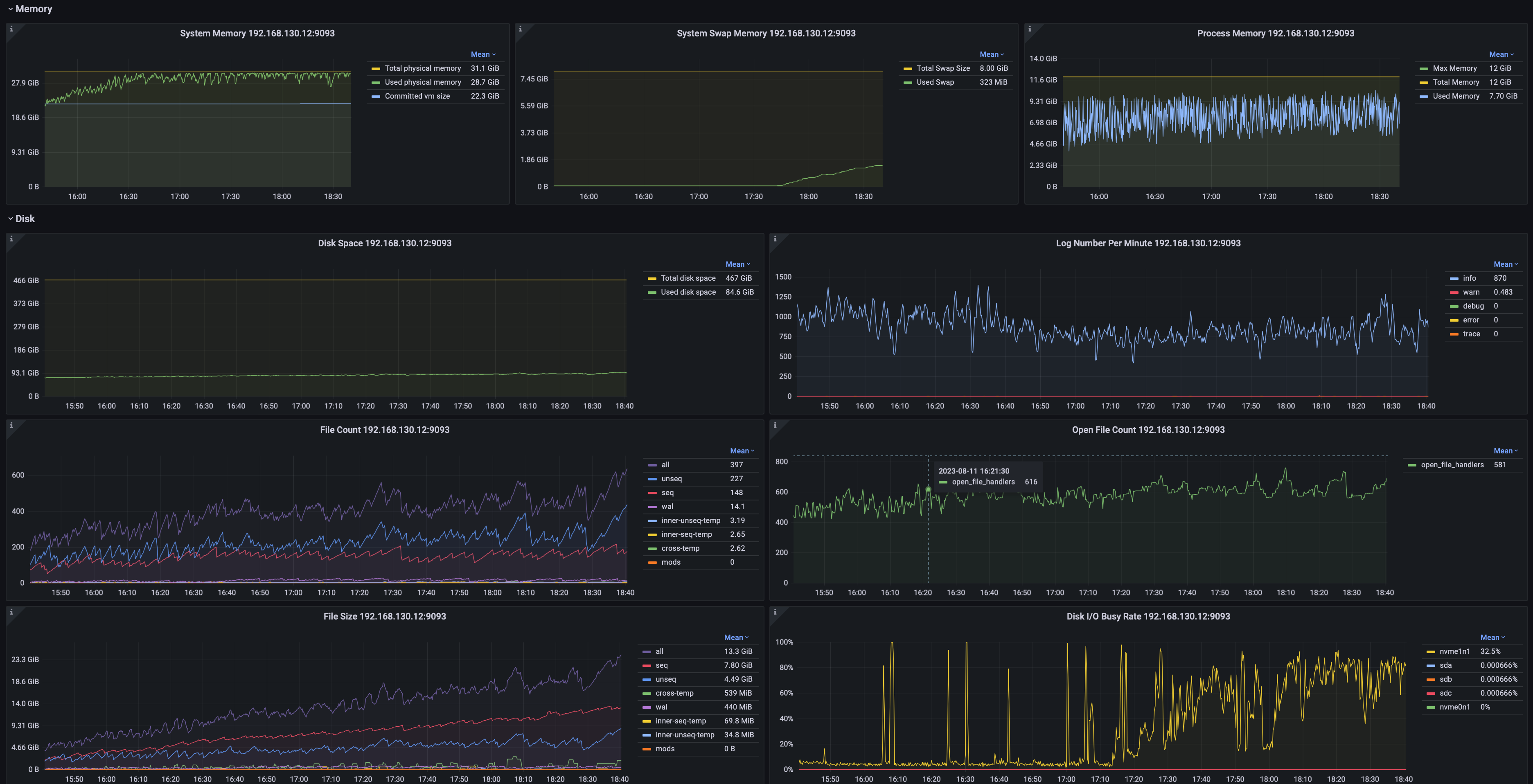
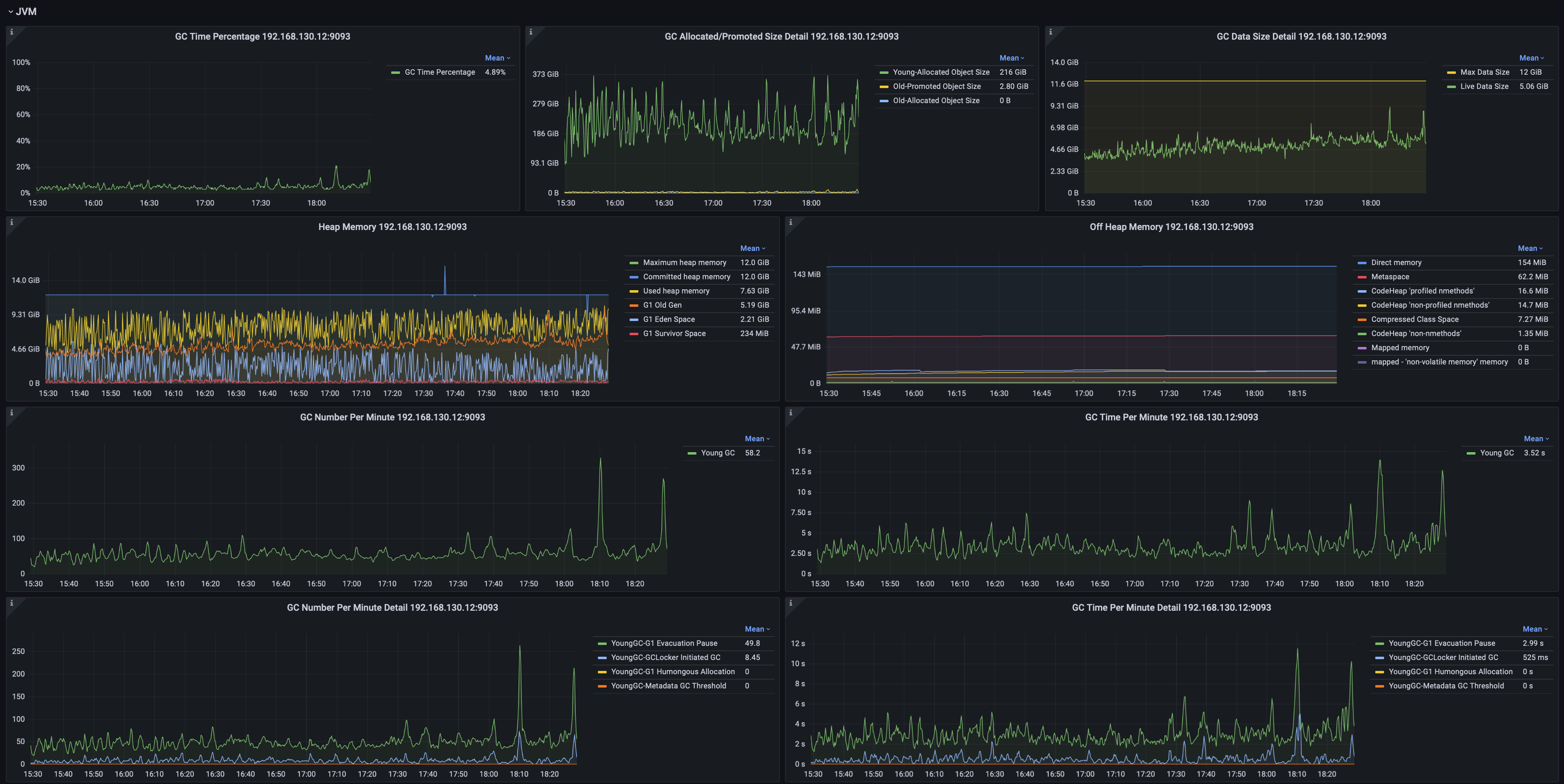
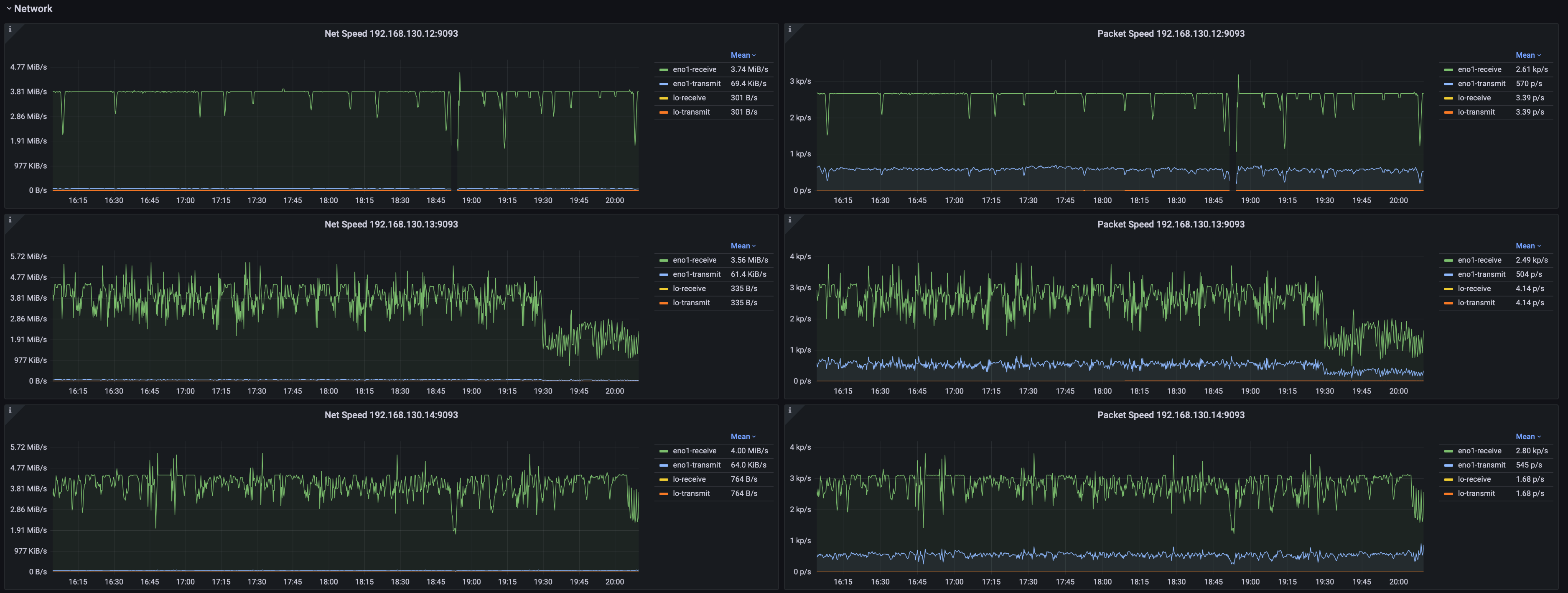
2.5 System Monitoring
Including but not limited to:
- System memory, swap memory, and process memory usage.
- Disk space, file count, and file size statistics.
- JVM garbage collection (GC) time percentage, GC events by type, GC data volume, and heap memory utilization across generations.
- Network throughput and packet transmission rate.
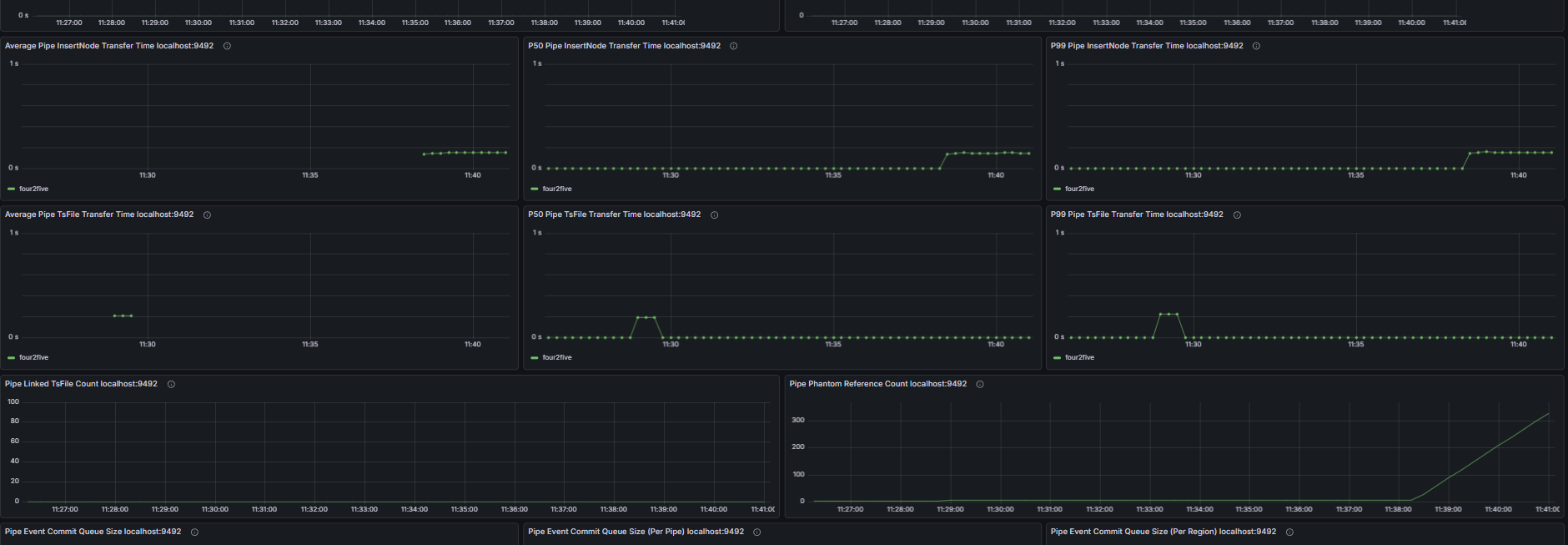
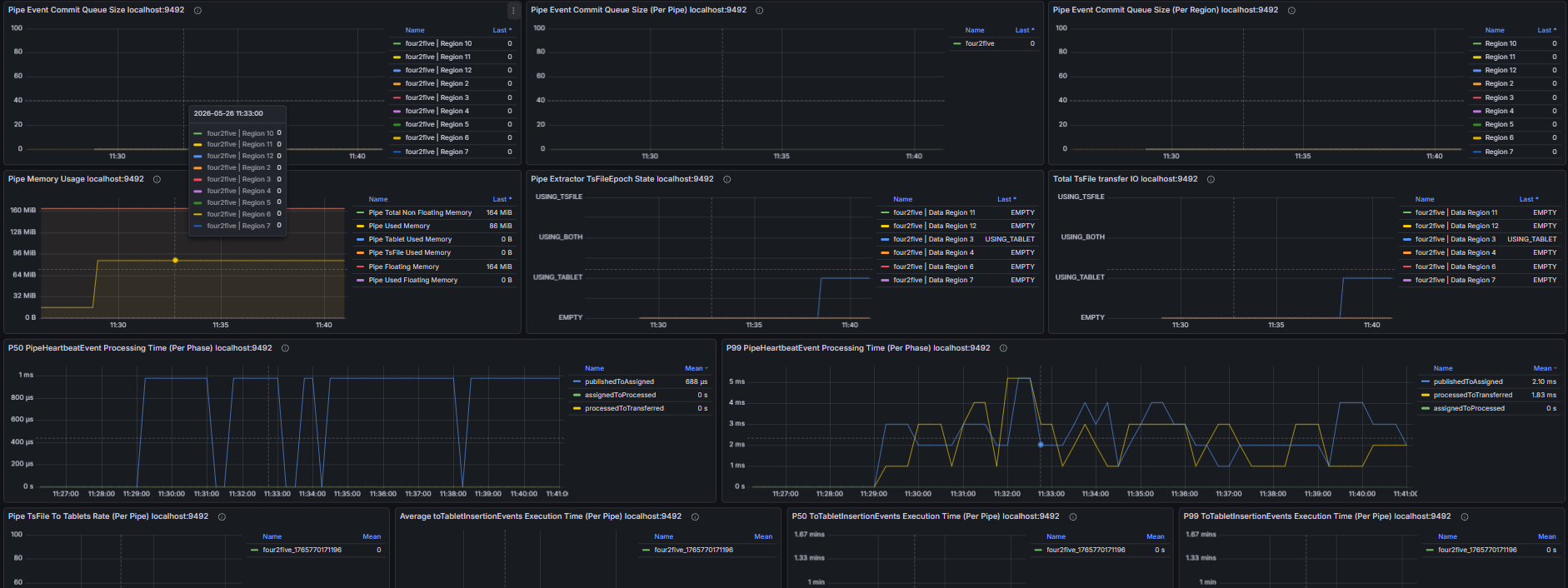
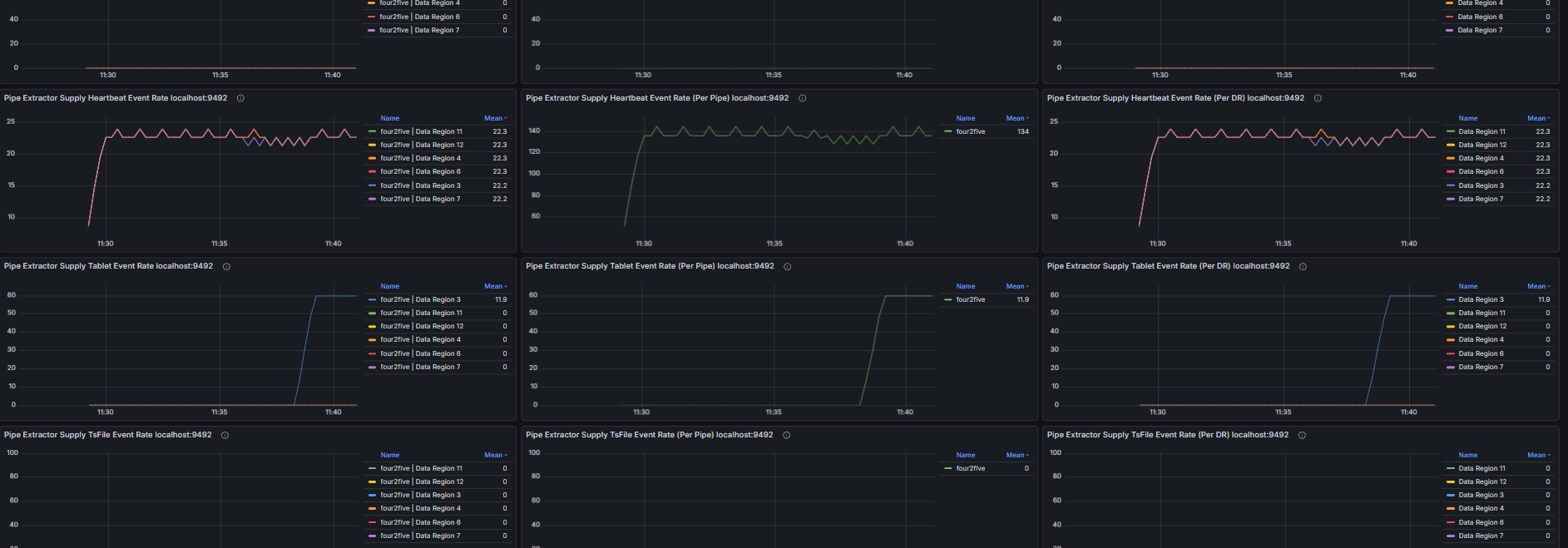
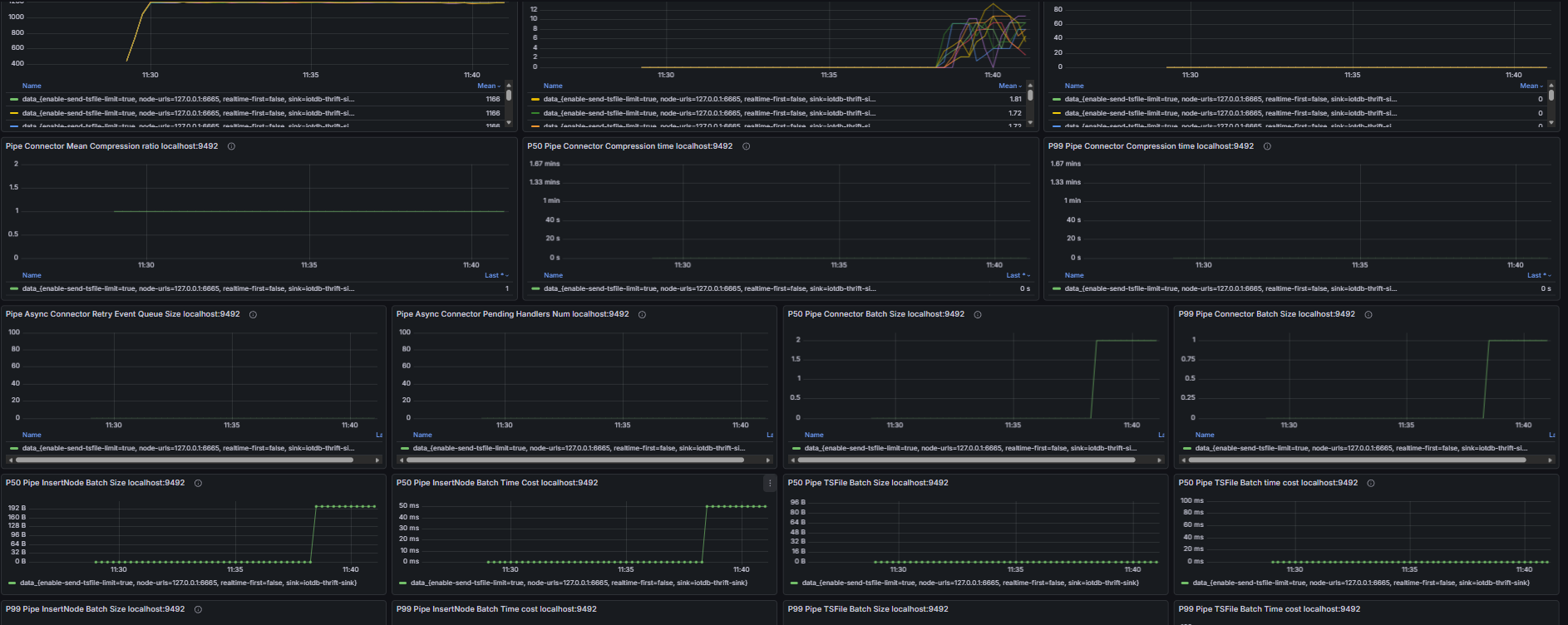
2.6 Data Synchronization
Including but not limited to:
- Pipe event commit queue size, number of unassigned Pipe events
- Number of unprocessed events in the Source queue, Source event feeding rate, Processor event processing rate
- Number of untransmitted events for all Pipe Sinks/Sources, transmission event rate of Pipe connectors
- Retry queue size and pending handler count of Pipe Sinks; total data size before and after compression and compression duration of Pipe Sinks; batch size and batch interval distribution of Pipe Sinks
- Pipe memory usage and capacity, number of Pipe phantom references, quantity and total size of linked TsFiles, disk bytes read for TsFile transmission via Pipe